

Keep track of all aspects of your drone maintenance in DroneDeck
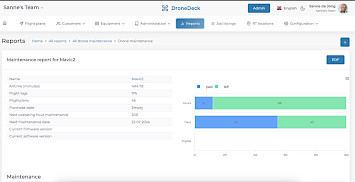
The drone maintenance manager can report all maintenance performed on a drone. In DroneDeck, all maintenance is tracked in maintenance records. These records serve as proof that the maintenance has been performed. DroneDeck also keeps track of when maintenance needs to be performed, based on a future date or a number of flight hours.

Automatische notificaties
Krijg automatische notificaties wanneer je een datum, bepaald aantal vlieguren of aantal vluchten bereikt
Complexe onderhoudschema's
Regel het onderhoud zoals jij het wil met periodieke en adhoc onderhoud typen
Parameters per drone
Bepaal per drone de onderhoudsparameters
Exporteer onderhoud naar PDF
Exporteer alle onderhoud van een drone naar PDF om te delen met bijvoorbeeld ILT of een onderhoudsbedrijf
Why drone maintenance is important
Keep track of the maintenance of all your drones, batteries, payloads and more in Dronedeck. Maintenance is a task for both the drone pilots who fly the drones and the maintenance manager.
Usually, all these steps are included in a pre-flight checklist.
- The drone pilot must check the drone before and after each flight. The following steps are a guide to what to do.
- Check for visible damage: Before each flight, it is important to inspect your drone for visible damage. Look for cracks, loose parts or other signs of physical wear and tear.
- Clean the drone: Clean your drone with a soft cloth to remove any dirt, dust or debris that may have accumulated. If necessary, use a mild soap and water solution. Do not use solvents, as these can damage the drone's electronics or paintwork.
- Check the battery: Ensure that the battery is fully charged and functioning properly. Replace any damaged or worn batteries.
- Test the motors and controls: Check that the drone's motors and controls are functioning properly. If necessary, calibrate the drone's sensors and controls to ensure accurate measurements and performance.
- Inspect the propellers: Inspect the propellers for cracks or damage. Replace damaged or worn propellers.
- Update the software: Ensure that the drone's software is up to date. This ensures that the drone is using the latest version of the operating system and that critical security patches are installed.
See more features for managing drone operations
Organisations

We are


We are

For whom


Ready to Transform Your Drone Operations
Join DroneDeck and start to simplify your drone processes
6000+
Flight plans
49000+
Flight logs
870+
Users
44+
Countries
Drone insights
Stay updated on the latest news about DroneDeck and drones
Comprehensive risk analysis
In DroneDeck, the configuration of risks has been expanded. At the flight plan level, an additional risk analysis is available in the PDF functionality.
Learn more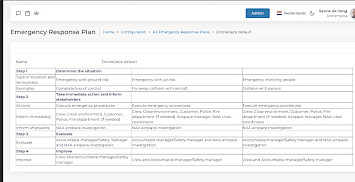
Waarom is een Emergency Response Plan belangrijk
Een Emergency Response Plan (ERP) is belangrijk omdat het een systematische benadering biedt voor het beheren van noodsituaties en het minimaliseren van de impact ervan.
Learn more
Create your own custom drone models
In DroneDeck you can now also add custom drone models for FPV or prototyping.
Learn more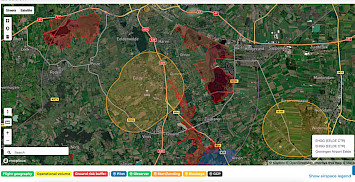
Location, location, location
Know in what airspace you fly with DroneDeck and create EASA compliant flightplans for your drone operations.
Learn more
